
Gmail “Subscription Termination Notice” — Fake Account Closure Scam
What this means
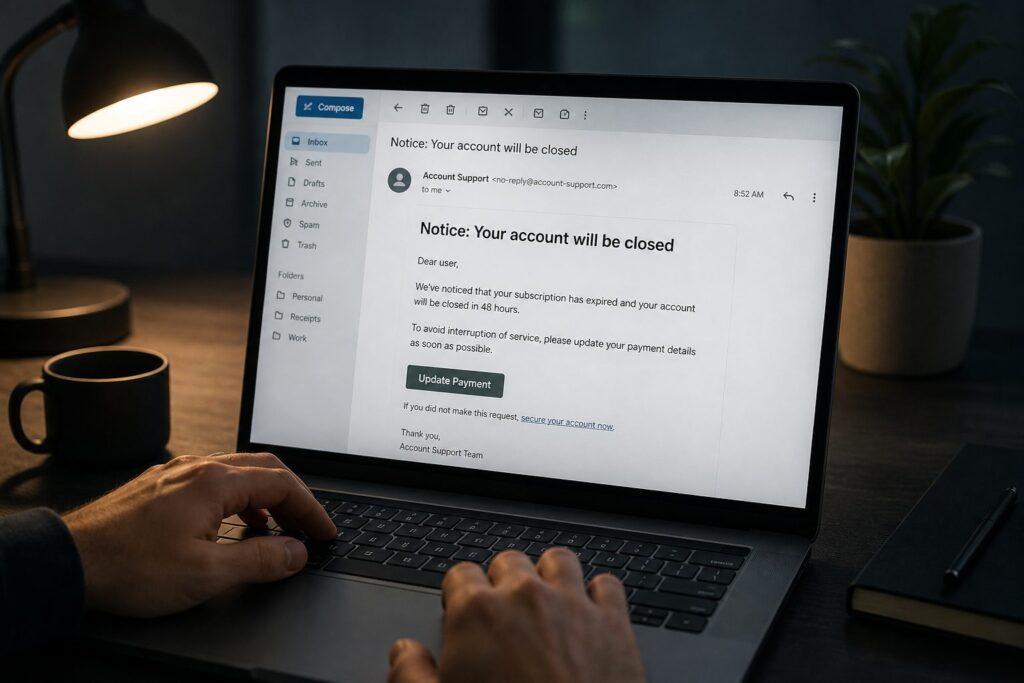
A fake Gmail “subscription termination notice” uses fear, urgency, and brand impersonation to push you into clicking Secure Your Device. Here’s how to spot it.
Note: This site may show light ads and occasional affiliate links. How that works.
This one landed dressed as an urgent Gmail security alert. Your “subscription has closed,” it says. Final notice. Account terminated in 48 hours unless you renew. Big button: “Secure Your Device.”
It is not from Google. Gmail is free — there is no membership to renew. This is a credential grab aimed at your Google login, and a stolen Google account is high value: email, contacts, cloud storage, backup codes, password resets for other sites.
What it claimed
- Gmail security alert and “final notice”
- Your device is “unprotected” — act within 48 hours
- A fake account ID, your username, a “90% discount,” limited-time date
- Signature from “Gmail Support Team”
Why it is bait
Google does not send emails like this. The tells stack up fast:
- Urgency — “Final warning,” 48-hour deadline, last chance
- Fear — unprotected account, hackers, cyber attacks
- Fake subscription talk — Gmail has nothing to renew
- Made-up details — random account ID, “90% off” security (Google does not do that)
- Wrong button — “Secure Your Device” instead of a link to google.com or gmail.com
Click through and you usually hit a fake Google login page, a fake renewal screen, or a form asking for your password and payment details. That is the whole point — not a renewal, a takeover.
Stop. Pause. Ask three questions.
Stop!
Pause!
Before you tap that button:
- Is it urgent?
- Do you know who it is from?
- Is it really from who it is from?
Final notice, 48 hours, account closure — that is urgency by design. The display name may say Gmail; the real sender address will not be Google. If you are not sure, it is likely a catch. Do not click. Do not sign in. Do not pay.
What to do instead
- Delete the email. Block the sender.
- If you want to check your account, open gmail.com yourself — type it or use a bookmark. Never through a link in the message.
- Look at recent sign-in activity inside your real Google account settings.
Already clicked or typed your password? Change your Google password straight away, update recovery details, turn on multi-factor authentication (mfa), review connected devices, and contact your bank if you entered card details. Step-by-step help: what to do after a miss.
A self-check
When did you last sign into Gmail through the app or by typing the address yourself — not through a link in an email? If you cannot remember, that is exactly the gap these messages exploit. Next “security alert” that lands: would you open the app first, or reach for the button?
Related: How scams reach you · What to do after a miss · Online scams hub