
The Cloud Storage “Payment Failed” Email
What this means
A cloud storage “payment failed” email can look urgent and real. Here’s how to check it safely without handing over your login.
Note: This site may show light ads and occasional affiliate links. How that works.
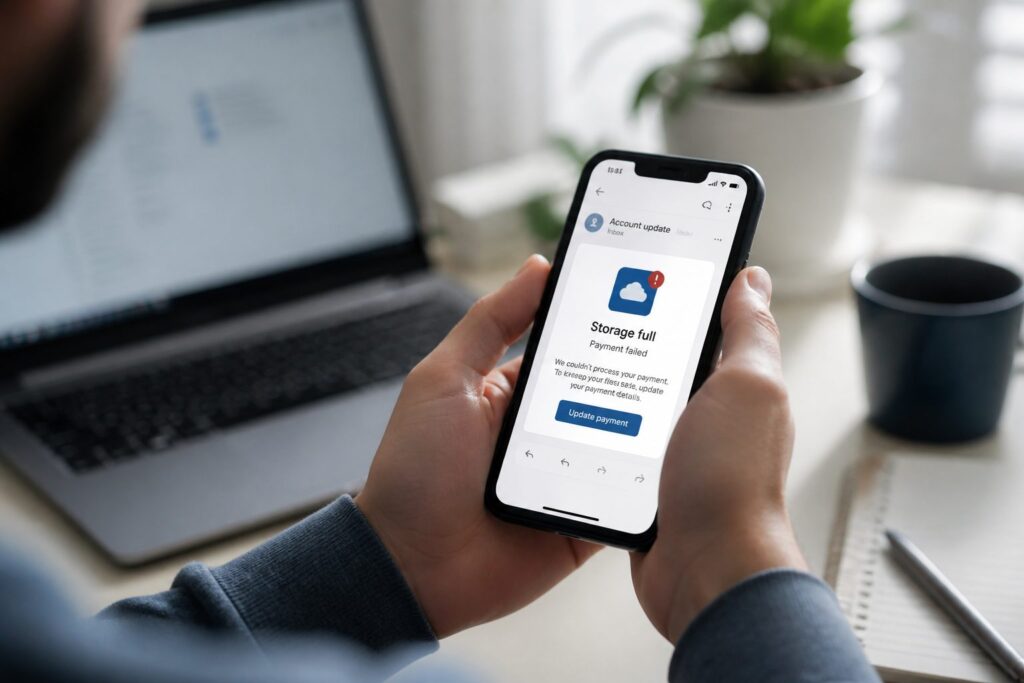
This one goes for something personal. Your cloud storage payment failed, it says. Account blocked. Photos and videos will be deleted on a set date unless you update payment details. Fake “Cloud” logo. Fixed deletion deadline.
Years of photos and videos in the cloud make a credible lever. The threat of losing them is meant to make you act before you look — that is the whole trick, and it works because the stakes feel personal.
What it claimed
- Payment failed during renewal — account now blocked
- Photos and videos deleted unless you update card details
- Official-looking cloud branding
Why it is bait
- Emotional lever — holidays, birthdays, family moments at risk
- Sender mismatch — display name looks official; address does not match any real provider
- Sloppy copy — phrases like “Your payment method has may expired” — real companies proofread
- Template branding — logo and layout do not match iCloud, Google Photos, Dropbox, or whoever you actually use
- Out-of-the-blue deletion threat — real providers warn you inside your account, repeatedly, not once by random email
Follow the link and you land on a fake payment page — card number, expiry, security code, billing address. It is not about storage. It is about your card.
Stop. Pause. Ask three questions.
Stop!
Pause!
Before you update anything:
- Is it urgent?
- Do you know who it is from?
- Is it really from who it is from?
“Your photos will be deleted Friday” is urgency tied to something you care about. Do you even pay for this cloud service? Does the email name the provider you use? Not sure? Likely a catch. Do not click the link. Do not enter card details.
What to do instead
- Delete the email.
- Open the cloud app or website you actually use — sign in the normal way, not through the message.
- Check billing and storage alerts inside your real account.
If something is genuinely wrong, you will see it when you log in normally. Already entered card details? Contact your bank immediately. More help: what to do after a miss.
A self-check
Which cloud service actually holds your photos — and when did you last check its billing page yourself? If the answer to the second part is “never” or “not sure,” an email about deletion has an open door. Would you open the app first next time, or reach for the link because the date sounds close?
Related: How scams reach you · What to do after a miss · Online scams hub