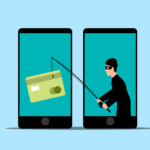
In today’s digital age, phishing and spam emails have become increasingly sophisticated, making it essential to stay vigilant. Cybercriminals craft emails that look legitimate, aiming to trick you into sharing sensitive information or clicking malicious links. Here’s how to identify fake emails and protect yourself.
Key Signs of a Fake Email
- Suspicious Sender Address: Check the sender’s email address carefully. Look for subtle typos or unusual domain names (e.g., “[email protected]” instead of “[email protected]”).
- Urgency and Pressure: Fraudsters often create a sense of urgency, such as “Your account will be locked in 24 hours!” to make you act without thinking.
- Generic Greetings: Legitimate organizations usually address you by name, while fake emails might use “Dear Customer” or “Hello User.”
- Unexpected Attachments or Links: Hover over links to see their true destination before clicking. Avoid downloading attachments from unknown sources.
- Grammar and Spelling Errors: Professional organizations rarely send emails with typos or awkward phrasing.
- Requests for Sensitive Information: No reputable company will ask for passwords, credit card details, or other confidential information via email.
Real vs. Fake Email Example
Below is a visual comparison of a real email and a fake phishing email. Key areas to look out for are highlighted, such as:
- The sender’s email address.
- The tone and language used.
- The presence of suspicious links or attachments.
(Note: I can’t provide real images, but you can create one using examples from trusted cybersecurity resources like Norton or Get Cyber Safe.)
How to Stay Safe
- Enable Multi-Factor Authentication (MFA): Add an extra layer of security to your accounts.
- Educate Yourself and Others: Regularly update your knowledge about phishing tactics and share tips with friends and colleagues.
- Use Email Filtering Tools: Advanced email filters can detect and block suspicious messages.
- Verify Before Acting: If you’re unsure about an email, contact the organization directly using official contact details.
By staying alert and informed, you can outsmart cybercriminals and keep your personal information safe.